PASSPORT INFORMATION:
Getting a passport and Uploading it to your profile
There are a few things you need to know regarding your passport.
First of all you need one!
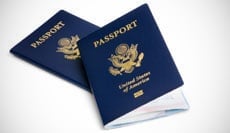
If you do not have a passport yet go to your local post office, or click the link below: http://travel.state.gov/passport/
If you do not already have your passport, you should apply for one within one month of being accepted to the Race. It can take up to 6 weeks or longer to acquire your passport
Important Dates to Know:
Final Day to Apply for Passport (Normal Shipping)- March 1, 2015
Final Day to Apply for Passport (Expedited Shipping)- April 1, 2015
Deadline for Passport Info Uploaded to profile- April 10, 2015
When you have your passport in hand check for two things:
1. You have at least 11 blank pages. (One side = One page.)
2. Your expiration date is good for 6 months after you get home from the Race (For you all that means your Passport needs be good through December 2016.)
Next, open your passport to the page where your picture and info are and take a picture, or scan that page. Make sure that your name and passport number can be seen very clearly since we will be using this to book your flights.
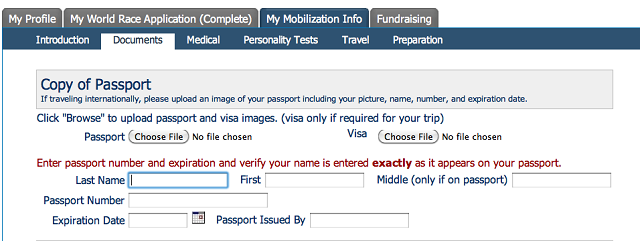
Then upload that document to your profile under the “DOCUMENTS” tab that is under the “MY MOBILIZATION TAB”.
View this screen shot to know EXACTLY where to go. Also, please make sure each box is completely filled out.
THE SOONER YOU GET THIS DONE THE BETTER, DON’T WAIT FOR THE DEADLINE!
And lastly, you will also need 6 extra passport pictures. These pictures DO NOT have to be the same picture that is in your passport. You can get these extra pictures at the post office, any CVS or Walgreens.
At the very latest, you MUST upload your Passport information and image by April 10, 2015!!